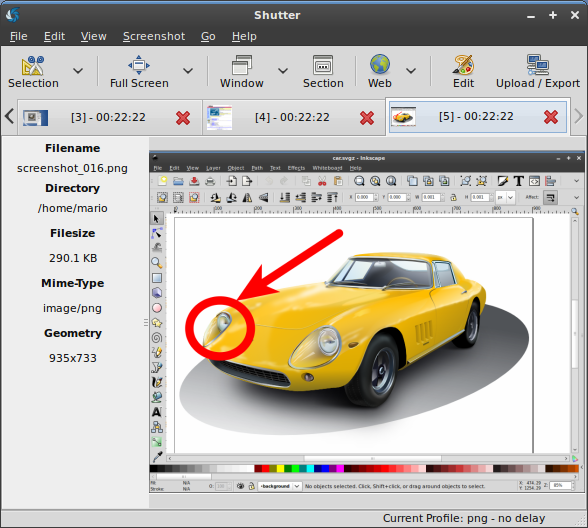
Shutter is a feature-rich screenshot program. You can take a screenshot of a specific area, window, your whole screen, or even of a website – apply different effects to it, draw on it to highlight points, and then upload to an image hosting site, all within one window.
Features:
* take a screenshot of your complete desktop, a rectangular area or capture a website
* take screenshot directly or with a specified delay time
* save the screenshots to a specified directory and name them in a convenient way
(using special wild-cards)
* Shutter is fully integrated into the Gnome Desktop (TrayIcon etc.)
* generate thumbnails directly when you are taking a screenshot and set a size level in %
* Shutter session collection
o keep track of all screenshots during session
o copy screeners to clipboard
o print screenshots
o delete screenshots
o rename your file
* upload your files directly to Image-Hosters (e.g. http://ubuntu-pics.de), retrieve all the needed links and share them with others
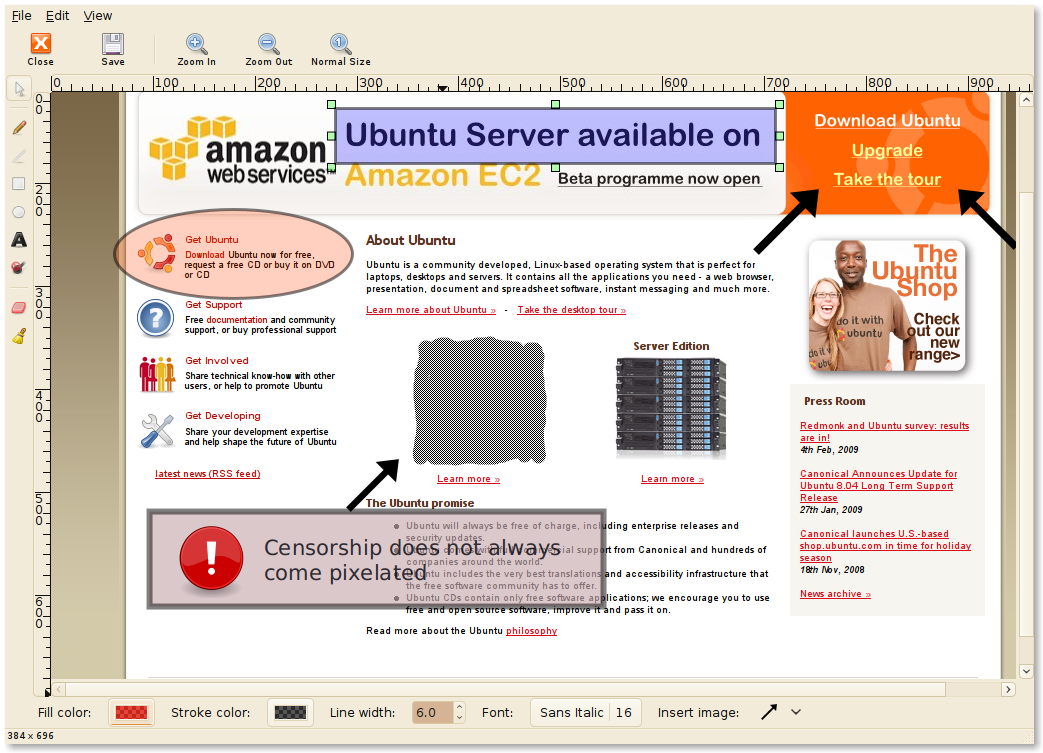
* edit your screenshots directly using the embedded drawing tool
Shutter is an open-source program, licensed under GPL v3.
here is some screenshots:

3 comments:
Very helpful application. Thanks alot. Keep up your work
ya....really helpful!!!hehehe....
Just what I was looking for. Many thanx.
Post a Comment